Show customers how close they are to free shipping
Display a clear progress message showing how much more customers need to spend — and
celebrate when they reach the threshold. Put the incentive wherever it matters in
your store.
Place the threshold message wherever your store needs it
Checkout Blocks Compatible
Works with WooCommerce Block Checkout
Threshold Progress
Show remaining spend
Dynamic Messaging
Update based on cart value
Free Shipping Goal
Make eligibility visible
Success State
Celebrate when the threshold is reached
From hidden rule to visible incentive
Don’t make customers guess how close they are to free shipping
Make the goal visible while customers are still deciding what to buy.
Problem
The free-shipping threshold is only discovered at checkout.
Solution
Show the goal earlier in the shopping journey.
Feature used
Flexible storefront placement
Problem
A customer is only a small amount away from the goal.
Solution
Show the exact remaining spend so the incentive is clear.
Feature used
Remaining amount
Problem
The cart value changes as products are added or removed.
Solution
Keep the threshold message aligned with the current cart value.
Feature used
Cart-value progress
Problem
The customer qualifies, but the message still looks unfinished.
Solution
Replace remaining spend with a clear success state.
Feature used
Threshold reached
Before / After
Make an invisible shipping rule part of the shopping experience
Without a visible threshold
Cart total$54.00
Shipping information appears later at checkout. The customer doesn’t know the
$75 free-shipping goal.
With Shipping Threshold Bar
Cart total$54.00
You’re $21.00 away from FREE SHIPPING
$54.00 / $75.0072% reached
Illustrative storefront comparison. Shipping eligibility remains controlled by your
store’s shipping rules.
A clearer shopping incentive
Make your free-shipping incentive impossible to miss
Cart value → progress → amount remaining → free shipping unlocked. Amounts and messages throughout this page are illustrative.
01
Tell customers exactly how much more they need to spend
A shipping goal becomes useful when customers can see the gap. At a $75 threshold, a $52 cart has $23 left to go — a concrete reason to consider another item.
The remaining amount stays readable without color
A clear goal beside the current cart value
Illustrative currency, not a product restriction
02
Put the shipping threshold where it can influence the buying decision
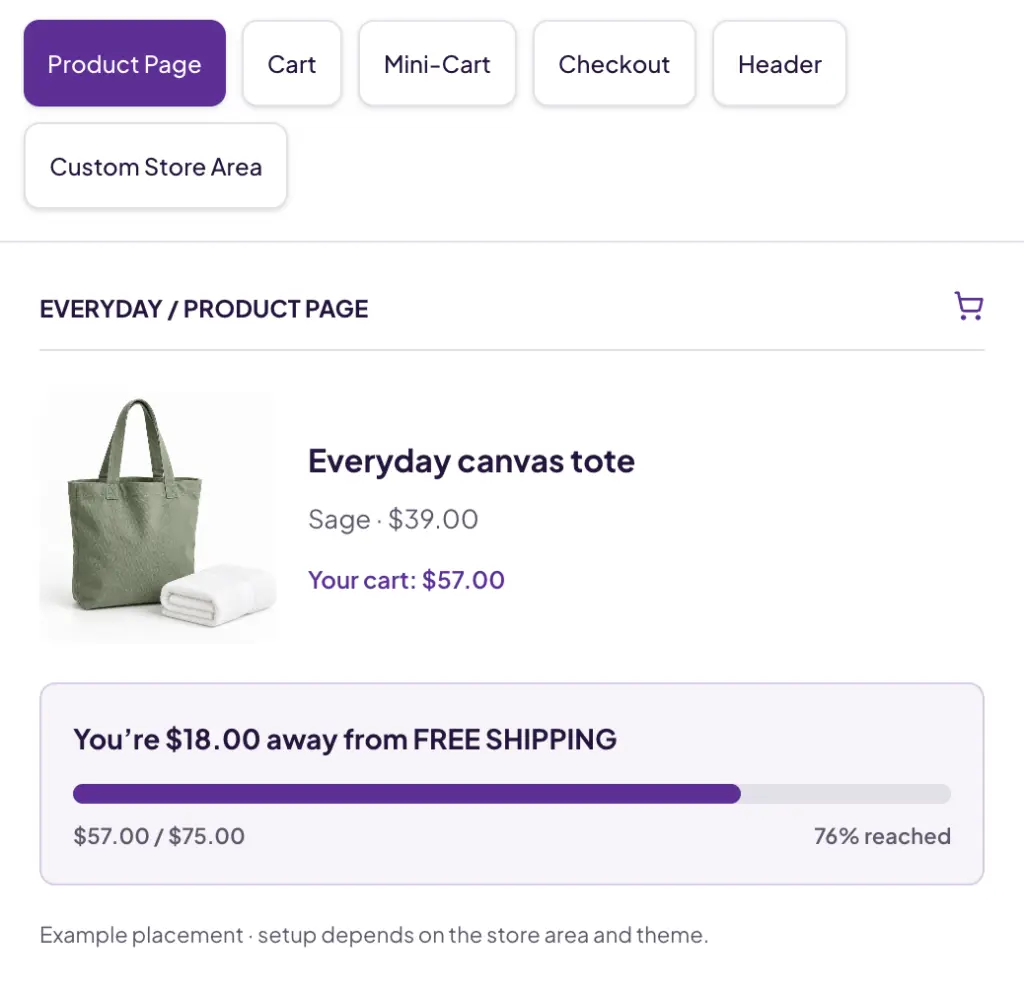
Whether customers are browsing, reviewing their bag or completing checkout, place the threshold bar where it best fits your store experience. The bar is not limited to a single fixed location.
Product pages, cart and mini-cart
Checkout, header and promotional areas
Custom theme locations; placement methods can differ
03
Make progress toward the threshold easy to understand
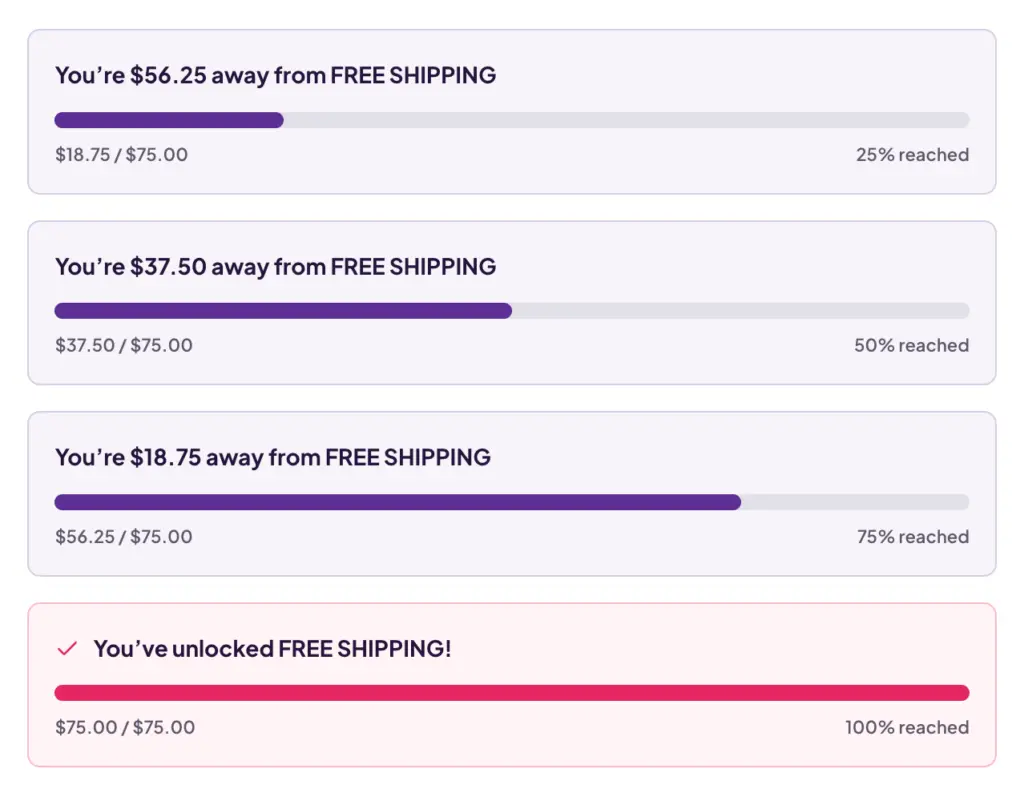
Pair a horizontal progress indicator with the remaining amount. Customers can see the goal coming closer without needing to interpret a shipping rule.
Progress toward a configured goal
25%, 50%, 75% and reached-state examples
Amounts and percentages communicate beyond color
04
Change the message when free shipping is unlocked
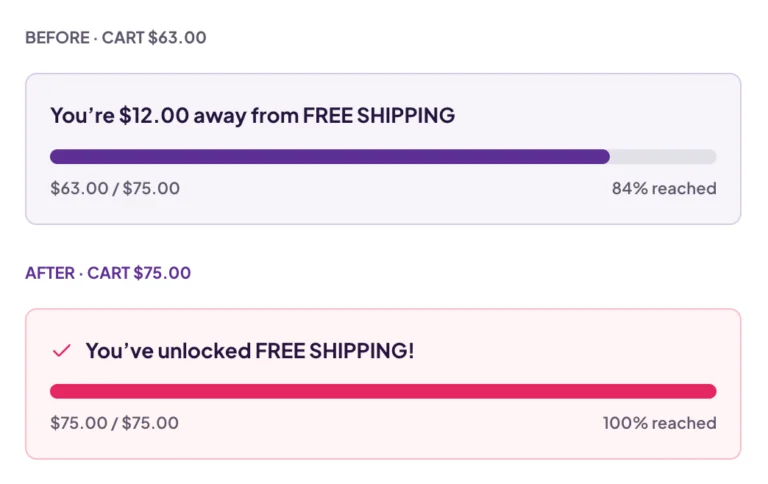
When the cart reaches the threshold, replace the remaining-amount message with a clear confirmation. The incentive has a beginning, progress and a satisfying conclusion.
Remaining spend before the goal
A clear confirmation once reached
Keep shipping eligibility visible
05
Keep the message aligned with the current cart
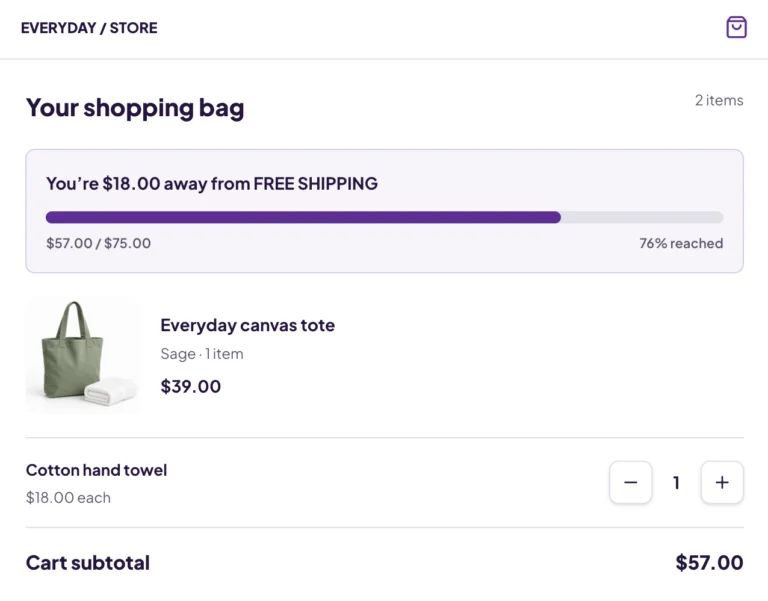
The threshold message reflects the customer’s current cart value. As the basket grows or shrinks, the amount remaining stays relevant to that basket.
Add a product → cart value changes
Remaining spend reflects the cart
AJAX refresh support for cart changes
Focused on the shopping journey
Automatic or manual threshold
Custom message tokens
AJAX cart refresh
Threshold-reached state
Product/category exclusions
Shortcode, block & Elementor
Colors and theme presets
Checkout Blocks support
How it works
From cart value to free-shipping progress
01
Set the threshold
Define the cart value required for your shipping incentive.
02
Choose where to display it
Place the bar where it makes sense in the customer journey.
03
Customer builds the cart
The progress message reflects the current cart value.
04
Threshold reached
Replace the remaining amount with a success state.
Message states
The right message at every stage of the cart
Illustrative message examples, not fixed plugin defaults. Configure your own
progress, almost-there and success messages.
01 / Empty / low cart
Free shipping available from $75
$0.00 / $75.000% reached
02 / In progress
You’re $32 away from free shipping
$43.00 / $75.0057% reached
03 / Almost there
Only $8 more for free shipping
$67.00 / $75.0089% reached
04 / Threshold reached
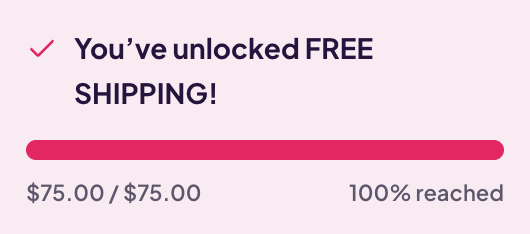
You’ve unlocked free shipping
$75.00 / $75.00100% reached
Configuration & design
Make the threshold bar feel like part of your store
Auto-detect your WooCommerce free-shipping threshold or set a manual campaign
goal. Customize the message and appearance to match the shopping experience.
Illustrative settings · not the plugin’s administration screen.
Use cases
A simple incentive for different WooCommerce stores
Give a nearly complete basket a clear next step
Encourage shoppers who are close to the threshold to consider another item.
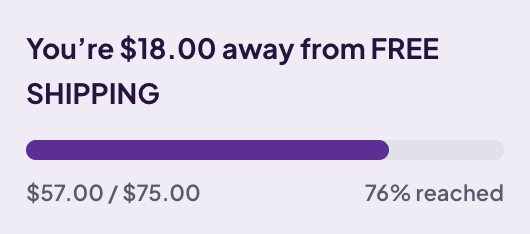
You’re $18.00 away from FREE SHIPPING
$57.00 / $75.0076% reached
1Shop a favorite item
2See the remaining spend
3Consider a complementary accessory
4Reach the free-shipping threshold
Compatibility
Built for modern WooCommerce storefronts
WooCommerce Checkout Blocks
Compatible
WooCommerce Cart Blocks
Compatible
HPOS
Compatible
WooCommerce
Compatible
Display locations
Flexible / configurable
WordPress tested version
See current product metadata
WooCommerce tested version
See current product metadata
PHP requirement
See current product metadata
Checkout Blocks, Cart Blocks and HPOS support are explicitly listed in the current WordPress.org description. Mini-Cart Blocks support is not separately claimed.
Availability
Start with the current free plugin
Shipping Threshold Bar is currently available on WordPress.org. A paid license or
verified purchase destination has not been confirmed.
WordPress.org release
Free
Install the current repository release for your WooCommerce store.
Paid pricing, site limits, annual or lifetime terms, premium support and renewal
conditions are awaiting confirmation. No payment is collected on this page.
It shows cart progress toward a configured shipping threshold, the amount still needed and a success message when the threshold is reached.
How does the progress calculation work?
The current cart value is compared with the configured goal. For example, a $57 cart toward a $75 goal has $18 remaining. Values here are illustrative.
Can I choose the shipping threshold?
Yes. Auto-detect the free-shipping threshold from WooCommerce shipping methods or set a manual threshold for a campaign. Keep your shipping eligibility rules aligned with the goal.
Does the amount change when the cart changes?
Yes. AJAX refresh support keeps the bar aligned with cart changes.
What happens when the threshold is reached?
The remaining-amount message is replaced with a success state confirming that the shipping goal has been reached.
Where can the bar be displayed?
Across product pages, cart, mini-cart, checkout, header or promotional areas, and custom store locations. Setup can differ by location and theme.
Does it work with WooCommerce Checkout Blocks?
Yes. The plugin supports WooCommerce Block Checkout. The current product listing also confirms Cart Blocks support. Mini-Cart Blocks support is not separately claimed.
Can I show the message in more than one location?
Flexible placement lets you keep the incentive visible across the buying journey. Confirm the setup for your chosen combination of theme locations in the product documentation.
Does it work with WooCommerce free shipping?
It communicates progress toward a configured shipping incentive, such as free shipping. It is not a shipping-rate calculator; your shipping eligibility rules still determine the actual method available.
Does it guarantee larger baskets or higher conversion?
No. It makes the incentive clearer and can encourage customers to consider another useful product. Commercial outcomes depend on your store and customers.
Can I customize messages or appearance?
Yes. Customize progress, almost-there and success messages with tokens for remaining spend, percent, threshold and subtotal. Bar, track, text and background colors, sizing and theme presets are supported.
Does it work with different currencies?
Dollar amounts on this page are examples, not a currency requirement. Check the product documentation for your store currency and any multi-currency integration.
What support and updates are included?
Use the current product purchase page to confirm the site limit, license term, support, updates and renewal terms for your selected option.
What is the refund policy?
Check the current product purchase terms and Imaginate Solutions refund policy. No product-specific refund duration is claimed without confirmation.
We use cookies on our website to give you the most relevant experience by remembering your preferences and repeat visits. By clicking “Accept”, you consent to the use of ALL the cookies.
This website uses cookies to improve your experience while you navigate through the website. Out of these cookies, the cookies that are categorized as necessary are stored on your browser as they are essential for the working of basic functionalities of the website. We also use third-party cookies that help us analyze and understand how you use this website. These cookies will be stored in your browser only with your consent. You also have the option to opt-out of these cookies. But opting out of some of these cookies may have an effect on your browsing experience.
Necessary cookies are absolutely essential for the website to function properly. This category only includes cookies that ensures basic functionalities and security features of the website. These cookies do not store any personal information.
Any cookies that may not be particularly necessary for the website to function and is used specifically to collect user personal data via analytics, ads, other embedded contents are termed as non-necessary cookies. It is mandatory to procure user consent prior to running these cookies on your website.